
Getting Started / Quick Start
Quick Start
From zero to your first position in under two minutes.
1 - Open the terminal
Go to csl.fun/trade. The terminal loads with live markets on the left, the chart in the center and the order panel on the right.
2 - Sign in
Click Sign in (top right). CSL uses Privy - log in with:
- wallet (Robinhood Chain wallet)
3 - Pick a market
Select any skin in the left panel. The chart supports 1D / 1W / 1M / 1Y / ALL timeframes - ALL shows history back to the skin's original release. Scroll to zoom, drag to pan.
4 - Open a position
- Choose Long or Short.
- Enter collateral (USDG) - or tap 25 / 50 / 75 / 100%.
- Set leverage with the slider or quick chips (2x–20x).
- Review order value, entry, liquidation price and fee.
- Hit Open.
5 - Manage & close
Open positions live under the chart with real-time PnL and ROE. Close any position with the ✕ button - a confirmation shows the size, entry and live PnL before it settles to your balance.
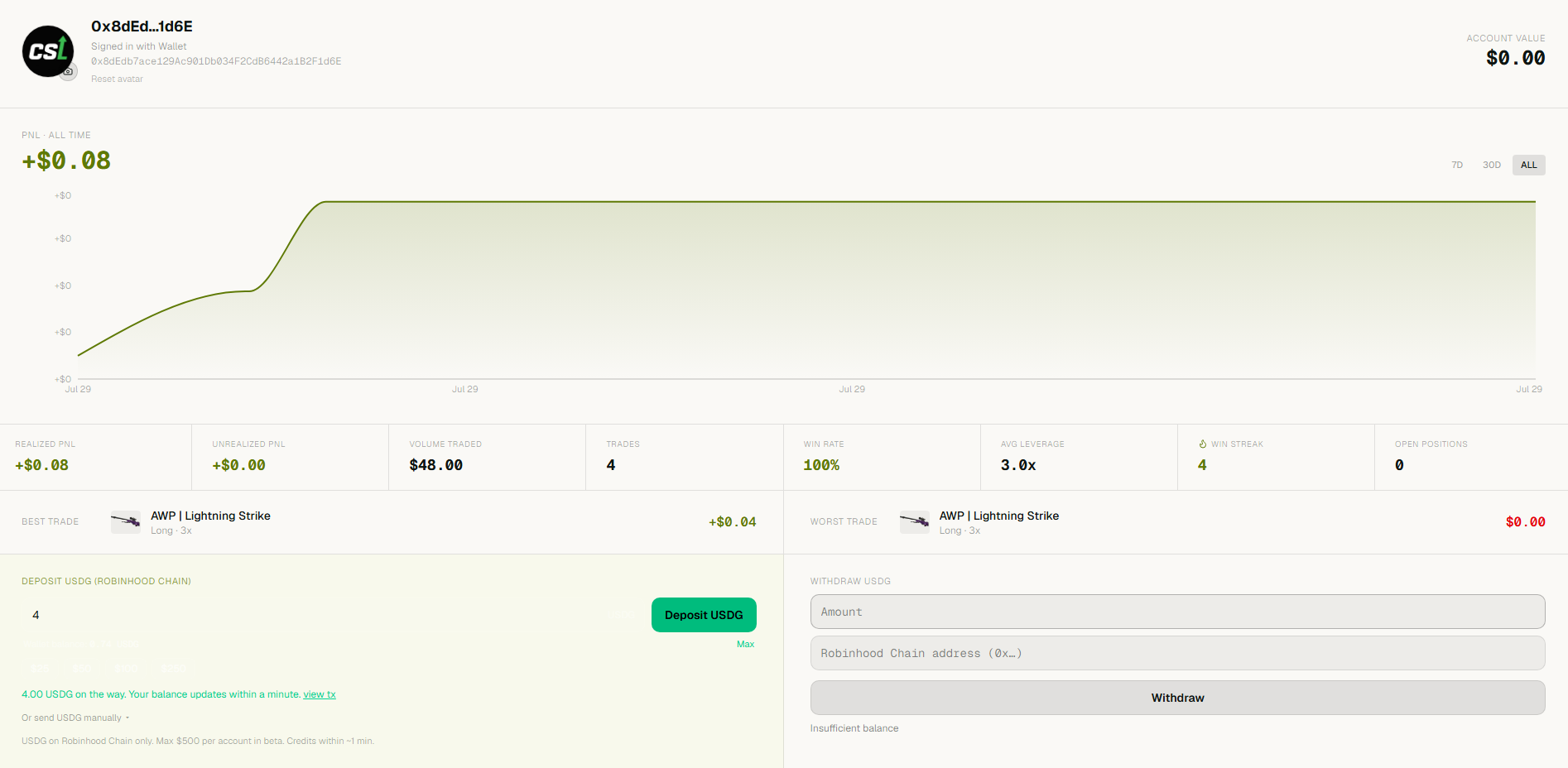
My Profile: the all-time PnL curve, trading stats, and deposit/withdraw - everything about your account in one screen.
Deposits and withdrawals settle in real USDG on Robinhood Chain - see Deposits & Withdrawals for the deposit address and crediting time.